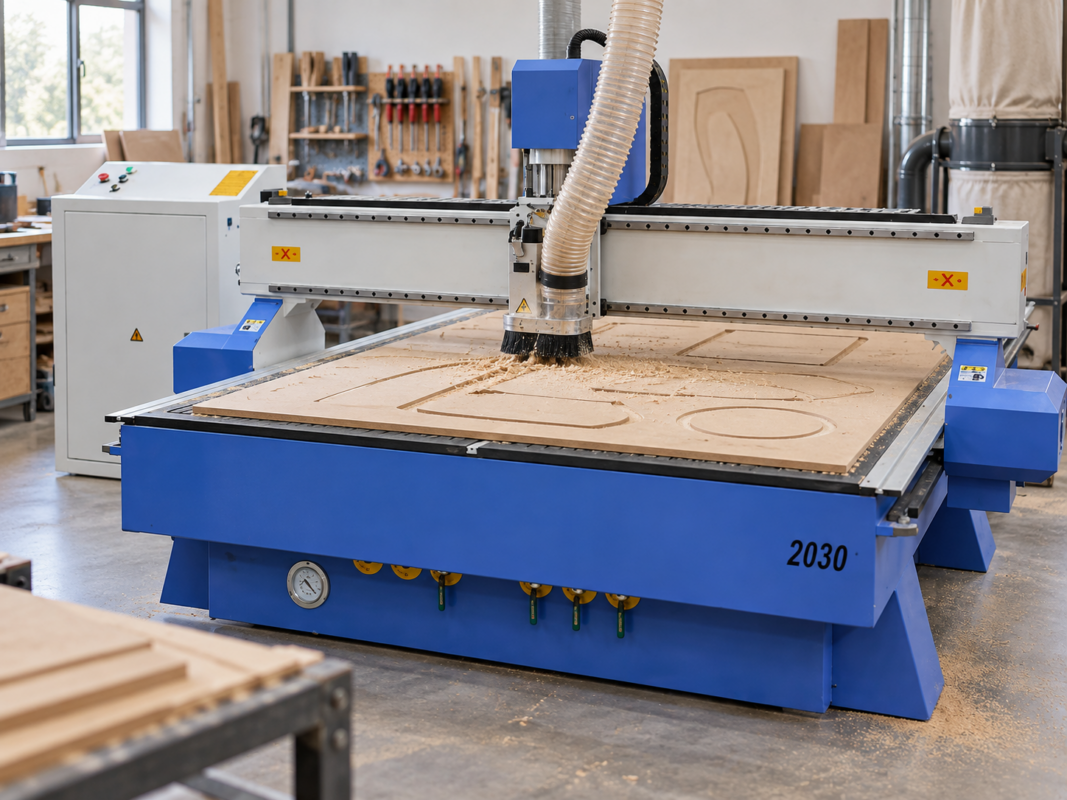
A reliable PS-2030 tooling and cutter setup is less about memorising a sequence and more about keeping several physical references consistent. The cutter in the spindle, the collet holding it, the amount of cutter extension, the tool selected in CAM and the work Z-zero all need to describe the same real setup.
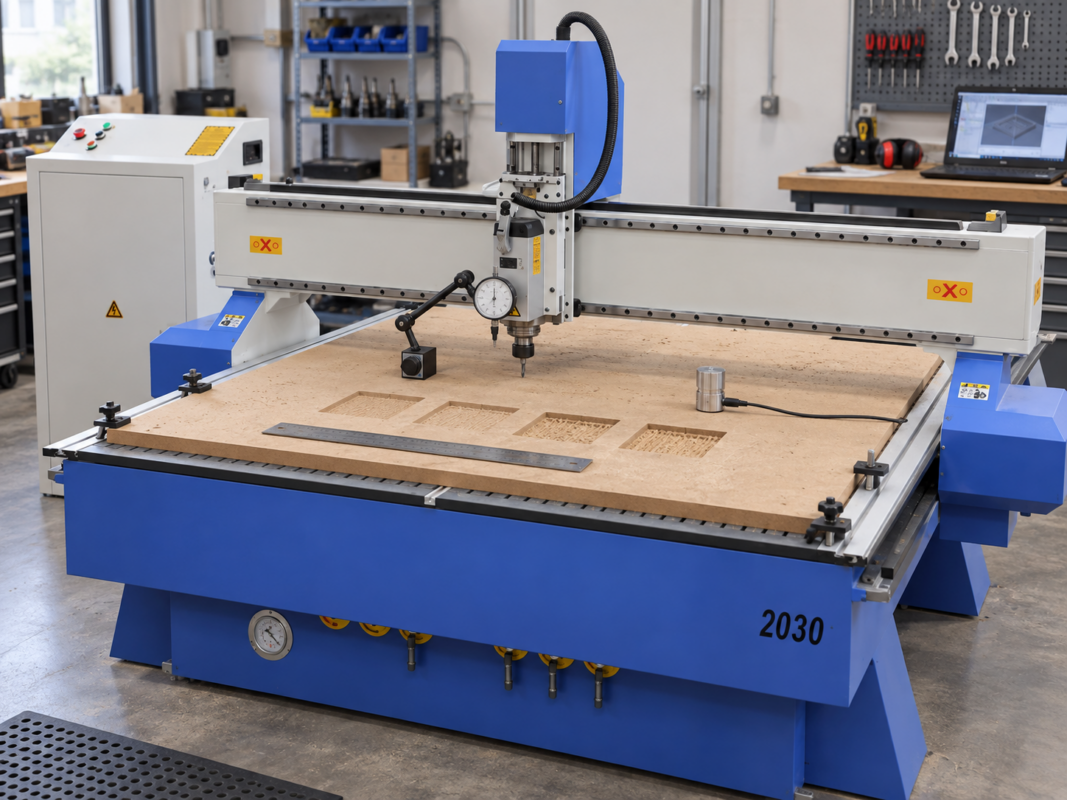
The PS-2030 CNC router machine is the machine context for this guide. The focus here is a practical way to judge cutter installation, measurement references and first-off results without assuming a particular controller menu, automatic tool-changing function or unverified measuring system.
The useful question after any cutter change is simple: what physically changed, and which reference now needs to be checked? Answering that correctly prevents operators from moving work zero to hide a tooling problem or changing several settings at once and losing track of the original cause.
The main setup principle
Do not move work Z-zero simply because a newly fitted cutter is cutting at the wrong depth
If the cutter, its installed extension or the holding arrangement changed, verify the tooling reference first. Work Z-zero should continue to represent the programmed job datum. Moving both references at the same time may make one test cut look correct while making the setup harder to reproduce or diagnose later.
Start With the Machine That Is Actually in Front of You
Tooling problems are often made harder by a procedure copied from another router, another controller or an old setup sheet. Before changing anything, confirm the actual spindle arrangement, collet system, controller, CAM file and workholding method used for this job.
This is especially important if a machine has been repaired, upgraded or modified since the original setup was documented. A new spindle, a different collet arrangement or a change in the way Z is referenced can make an old procedure misleading even if the machine still performs the same type of work.
Physical setup
Identify what is fitted
Look at the spindle, collet, cutter shank, fixture and reference surface being used on the machine. Do not infer the setup from a photograph of another router.
Program setup
Confirm what CAM expects
The cutter in the spindle, the tool selected in CAM and the programmed work origin must describe the same operation before the machine enters the material.
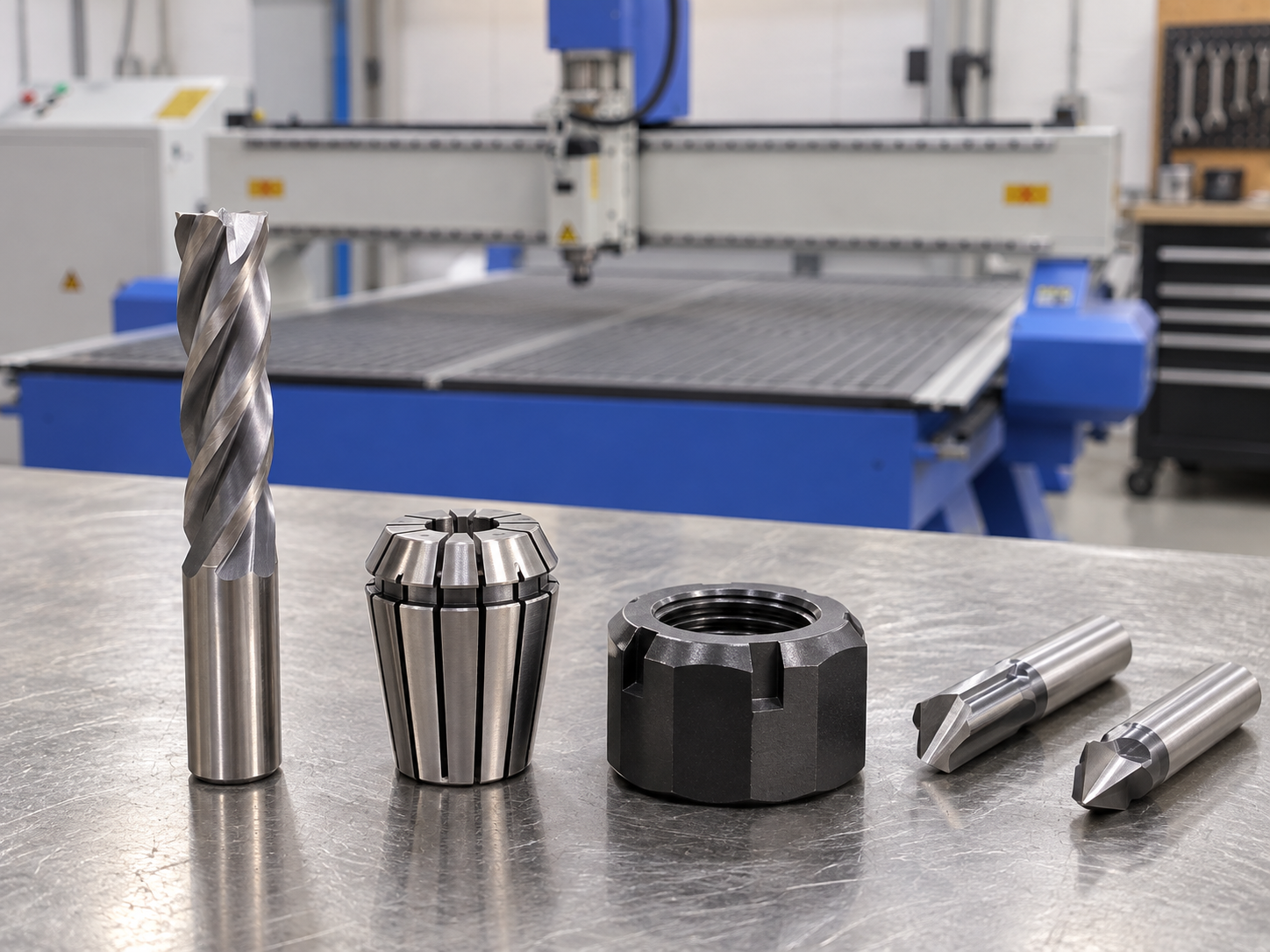
Think of the Cutter, Collet and Retaining Parts as One Setup
A cutter does not repeat accurately on its own. Its position depends on how it sits in the collet, the condition of the contact surfaces and how far it projects from the holding system. When the result changes after a tool swap, these physical relationships are worth checking before editing the CNC program.
Cutter, collet and retaining components should be considered together when repeatability changes after a tool change.
Match
The cutter shank must suit the collet being used
A holding mismatch should not be corrected by simply applying more tightening force. Use the actual tooling specification for the installed components.
Seat
Clean surfaces make the installation more repeatable
Dust, resin or fine chips on contact surfaces can change the way the tool seats. Clean and inspect the holding components before treating the problem as a controller issue.
Repeat
Keep the physical setup identifiable
The cutter name used on the rack, setup sheet and CAM tool library should point to the same physical tool rather than relying on informal descriptions that change between operators.
Cutter Extension Is a Balance Between Reach and Rigidity
The cutter needs enough exposed length to reach the deepest programmed feature and clear the surrounding material or fixture. More extension is not automatically safer. Unnecessary projection makes the setup less rigid and can increase sensitivity to cutting forces.
There is no single extension value that is correct for every job. The right position depends on the cutter, required cutting depth, tool geometry and actual workholding. The practical target is enough reach without adding extension that the job does not require.
Enough extension The cutter reaches the feature and clears the surrounding setup.
Unnecessary extension The cutter projects farther than the job requires and reduces setup stiffness.
If the cutter is removed and reinstalled at a noticeably different extension, any reference that depends on the cutter tip should be verified again.
Tool Reference and Work Z-Zero Solve Different Problems
This distinction is where many depth problems become confusing. A tool reference describes the position of the active cutter relative to a known physical reference. Work Z-zero describes where the CAM program considers the job origin to be.
They work together during machining, but they should not be treated as the same setting. A cutter installed differently may need its tool reference checked while the programmed work origin remains perfectly correct.
How the tool reference is established depends on the installed controller. Some systems store individual tool-length offsets, while others use a touch-off procedure to establish the active cutter position. Confirm which method the machine uses before changing an offset or resetting work Z-zero.
Tool reference
Where is the cutter tip?
This reference changes when the effective cutter position changes. The method used to establish it must follow the actual machine and controller configuration.
Work Z-zero
Where does the program start measuring Z?
This may be the material surface, spoilboard, fixture or another deliberate datum, depending on how the CAM file was programmed.
Quick decision
What changed since the last proven setup?
Cutter or installed extension changed
→
Verify the tool reference
Material, fixture or programmed datum changed
→
Verify work Z-zero
Depth changed but neither reference should have changed
→
Stop and find the mismatch before moving both references
What Matters Before and After a Tool Change
The mechanical act of changing the cutter takes only a short time. The useful information sits on either side of that change: what the previous setup was, and what must now be verified before the new tool touches the material.
Before removing the cutter
Know what is being replaced
Identify the CAM tool used by the current operation.
Note the reference method used for the proven setup.
Decide whether the same physical extension must be reproduced or whether a new measurement will be established.
After fitting the cutter
Prove the new physical setup
Confirm seating, tool identity and practical extension.
Verify the relevant tool reference.
Check work origin and physical clearance before cutting begins.
Avoid correcting several things at the same time.
If a new cutter cuts too deep, changing tool position, work zero and CAM settings together may produce a better part, but it removes the evidence needed to understand which reference was actually wrong.
The First-Off Part Closes the Setup Loop
A cutter can be secure and correctly referenced but still be wrong for the operation loaded in CAM. That is why the first controlled result matters. It connects the physical tool, the machine reference and the programmed job to something that can be inspected.
Before continuing into a repeat batch, check a feature that actually proves the setup: programmed depth, a representative dimension, edge condition or another result relevant to the operation. If the first-off part is wrong, stop at the first unexplained difference instead of continuing and correcting later parts by trial and error.
A first-off part gives the operator a physical result to compare with the cutter, reference method and programmed operation before repeat machining continues.
Depth
Does the physical depth agree with the intended operation and programmed origin?
Tool identity
Does the actual cutter correspond with the tool selected in CAM?
Clearance and behaviour
Was there unexpected vibration, noise or clearance risk around the workholding?
Something Is Wrong — Where Should You Look First?
The fastest troubleshooting route is usually determined by what changed immediately before the problem appeared. That keeps the investigation close to the most likely source instead of turning every depth error into a full machine reset.
Symptom
Depth changed immediately after fitting another cutter
Check first: cutter identity, installed extension, seating and the tool reference used for the new setup.
Symptom
Depth changed after altering the spoilboard or fixture
Check first: whether the work reference surface or programmed Z datum has physically changed.
Symptom
The same cutter does not repeat consistently after refitting
Check first: cleanliness, collet condition, seating and whether the cutter was installed at a different position.
Symptom
Only one CAM file produces the unexpected result
Check first: that file’s tool definition, programmed origin and revision before changing machine-wide references.
Keep a Setup Record That Another Operator Can Actually Use
A record sheet is most useful when it captures the variables that become difficult to reconstruct after the job leaves the machine. It does not need to become a long inspection document. It needs to answer what cutter was fitted, how it was referenced and what result proved that the setup worked.
For repeat jobs, the record can also reveal when a supposedly identical setup is not actually identical.
PS-2030 Tooling Setup Record
Machine
Exact machine or workshop identification
Program
Job name and file revision
Tool ID
CAM or workshop tool reference
Cutter
Type and identifying description
Collet / holding setup
Actual fitted combination
Installed extension
Record when repeatability depends on it
Tool reference
Physical datum used for tool measurement
Work Z-zero
Material, spoilboard, fixture or other CAM datum
Verification
Feature or first-off result checked
Notes
Any change, unusual sound, finish issue or corrective action
When Is a Full Recheck Worth Doing?
A proven setup does not need to be rebuilt blindly every time the machine is used. Rechecking becomes valuable when something that affects the physical or programmed reference chain has changed.
Recheck trigger
Something in the physical setup or the programmed datum is no longer the same.
Cutter removed and reinstalled at a different extension
Cutter or collet changed
Referenced spoilboard or fixture changed
Work-zero strategy changed
CAM file revision changed the tool definition or job origin
What to Send for a Setup Review
Useful technical support depends on seeing the real setup rather than receiving only a description such as “the Z is wrong.” A small set of well-matched information can show whether the problem began with tooling, referencing, CAM or a physical change around the job.
Machine
Exact PS-2030 identification, controller details and clear photographs of the spindle and holding arrangement.
Setup
Cutter list, tool IDs, reference method, work-zero method, fixture information and the relevant setup record.
Evidence
Full alarm message if present, photographs of the result and a note explaining exactly what changed before the fault appeared.
If the question is broader machine selection rather than an existing tooling fault, the CNC router machines
page provides the category-level context for comparing router models.
Frequently Asked Questions
What is the difference between tool length and work Z-zero?
Tool length or tool position describes where the active cutter sits relative to a defined measurement reference. Work Z-zero defines the programmed Z origin of the job. They are related during machining but they are not the same setting.
Should a cutter be rechecked after it is removed and refitted?
Yes when refitting can change the effective cutter-tip position. A cutter of the same type is not automatically installed at exactly the same extension as before.
Does changing the collet justify another setup check?
Yes. The collet is part of the holding system. Check cleanliness, cutter seating and any reference that depends on the newly installed tool position.
What should be checked after fitting another cutter?
Confirm tool identity, seating, practical extension, the relevant tool reference, work Z-zero and physical clearance. Then verify the result with an appropriate first-off check before continuing a repeat batch.
What suggests the wrong tool or setup record is being used?
Unexpected depth, a cutter description that does not match the tool in the spindle, or a problem that appears immediately after a cutter swap are all reasons to compare the physical tool, CAM definition and setup record before changing other references.
For a useful setup review
Send the Actual Configuration, the Setup Record and the Result Together
Provide CNC Laser Durban with the exact PS-2030 identification, controller information, clear spindle and collet photographs, cutter list, tool references, work-zero method, relevant setup record and photographs of the problem. That gives the review a real physical setup to work from rather than an assumed controller or tooling configuration.







One thought on “2030 ATC CNC Router Tool Length Offsets and Toolholder Setup”