CNC Router Applications in Signage, Furniture and Woodworking

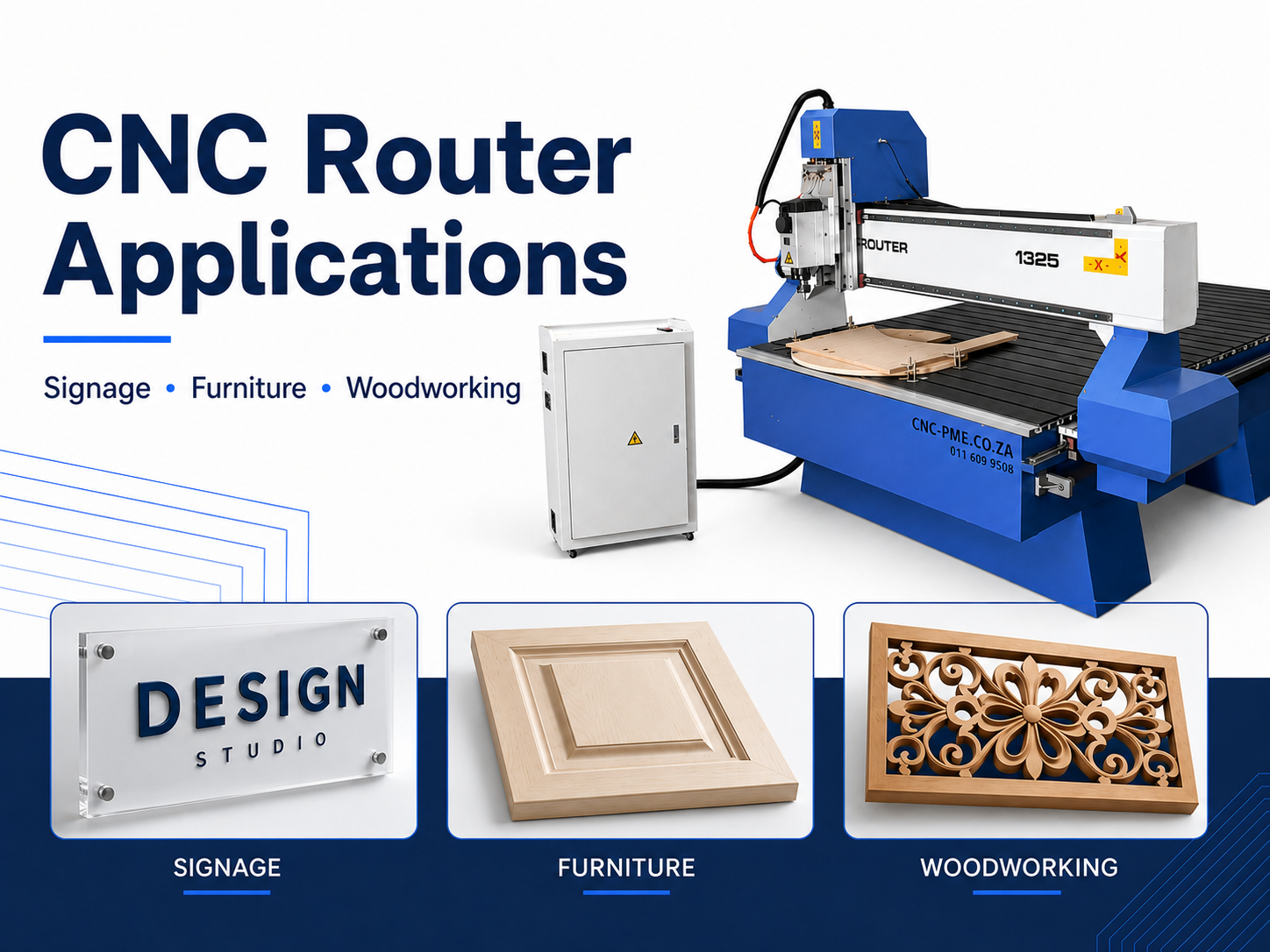
CNC router applications range from acrylic signs and cabinet panels to furniture components, carved timber, production jigs and mould patterns. A suitable
CNC Wood Router
can turn digital files into accurate, repeatable parts, but the machine must be selected around the materials, part sizes, tooling, workholding and production volume it will actually handle.
The largest table or highest headline specification is not automatically the best production choice. A signage workshop cutting small acrylic letters has different priorities from a cabinet manufacturer nesting full sheets, a joinery business machining curved timber blanks or a pattern maker running long three-dimensional toolpaths.
This guide explains the main commercial CNC router applications, the problems that should be tested before purchase and the information required for a useful demonstration and quotation. The objective is not simply to prove that a machine can cut one sample. It is to confirm that the complete workflow can produce the required quality at a practical daily output.
The Most Important Buying Principle
Choose the configuration around the job that will run most often, then test the difficult work and likely future-growth work. Use real files, real materials and measurable finish requirements. Cutting time, loading, tool changes, unloading, inspection and secondary finishing should be reviewed as one complete production cycle.
CNC Router Applications at a Glance
CNC routing is a subtractive process. A rotating cutter removes material along a programmed path. Although the principle is straightforward, the production requirements differ greatly between an acrylic letter, a cabinet side, a curved furniture rail and a carved timber panel.
Signage work often prioritises clean visible edges, accurate pockets and secure holding of small released parts. Cabinet production places more emphasis on sheet utilisation, repeated dimensions, construction features and organised unloading. Decorative woodworking adds grain behaviour, tool reach, carving time and hand finishing to the calculation.
Production volume changes the required specification as well. A configuration that successfully completes one prototype may become inefficient when the job repeats every day. Loading, tool changes, part identification, inspection and sanding can consume more time than expected even when the cutting program itself is fast.
Accuracy and repeatability should be considered separately. Accuracy describes how closely a finished feature matches the intended dimension. Repeatability describes whether the same result can be produced again under similar conditions.
A visually impressive sample is useful, but commercial production depends on stable results across repeated parts. A meaningful demonstration should include several components and, where practical, mating parts that must assemble correctly.
| Application | Typical Materials | Main Priority | Common Production Risk | What to Test |
|---|---|---|---|---|
| Signage | Acrylic, PVC, MDF and composite panels | Clean edges, lettering and small-part holding | Melting, chipping or movement during the final profile | Small letters, pockets, holes and visible edges |
| Cabinetry | MDF, plywood and laminated boards | Repeatable dimensions and efficient sheet processing | Poor vacuum holding, chipped faces or assembly errors | A complete panel set with mating parts |
| Furniture | Solid timber, plywood and board products | Fixtures, indexing and consistent mating components | Blank variation, grain tear-out or flip-position error | Curved blanks, joints and two-sided features |
| Carving | Timber, MDF and suitable board materials | Detail, tool reach and controlled finishing time | Long programs and excessive sanding | Roughing, finishing and final surface preparation |
| Jigs & Patterns | MDF, plywood and engineering plastics | Locating accuracy, durability and reproducibility | Incorrect revisions or inaccessible geometry | Reference surfaces, seals and downstream fit |
Define These Points Before Comparing Machines
- Routine materials and normal sheet or blank dimensions
- Maximum thickness and the largest part that must be processed
- Profiles, holes, grooves, pockets, lettering and carved features
- Visible-edge and surface-finish requirements
- Expected batch sizes and job-change frequency
- Workholding for full sheets, small parts and irregular blanks
- Design, CAD and CAM software already in use
- Acceptable sanding, polishing and secondary finishing
- Available electrical supply, extraction and workshop floor space
- Operator training, installation and maintenance requirements
CNC Routing for Signage, Acrylic and Display Work
Typical signage applications include dimensional letters, logo panels, wayfinding signs, engraved plaques, shopfront elements, light-box components, display parts and mounting templates. The required setup depends on more than the material name. Feature size, edge quality, part thickness and the way small pieces are held all influence the result.
Acrylic Edge Quality
Acrylic edge quality depends on cutter geometry, tool condition, chip removal and stable cutting conditions. When the cutter produces a clean chip, heat leaves the cutting area more effectively. If the cutter rubs instead of cutting, the edge can soften, cloud or collect melted material.
Feed rate, spindle speed, flute design and cutting depth must be assessed together. Increasing spindle speed without matching the feed can generate extra heat. Moving too aggressively can create vibration or edge marks. The correct combination should be proven with the actual acrylic grade and thickness used in production.
The routed edge should also be judged against the final product. Some signs can use a clean machined edge directly. Others may still require scraping, mechanical polishing, flame polishing or another finishing process. That additional labour belongs in the total cycle time.
PVC, Foam Board and Composite Panels
PVC and foam boards can cut quickly, but lightweight chips may spread across the table and surrounding workshop. Extraction, cleaning time and material support should be included in the production review rather than considered after installation.
Thin boards may flex under cutting pressure or lift where the vacuum seal is weak. A flat spoilboard, suitable zoning and consistent sheet support help reduce movement. Small finished parts may still require tabs, onion-skin cutting or another holding method.
Aluminium composite panels may require outside profiles, mounting holes and folding grooves. The groove shape and remaining skin thickness must suit the panel construction and intended bend. A simple profile test does not prove that a folding application is ready for production.
Lettering and Tight Internal Features
Narrow strokes, tight internal corners and thin bridges limit the practical cutter diameter. Artwork designed for printing may need to be adjusted because a rotating round cutter cannot create a perfectly sharp internal corner.
The smallest feature should be identified before the machine demonstration. A sample made only from large circles and rectangles does not prove that narrow lettering, thin bridges or fine logo details will cut reliably.
V-carving provides another method for producing text and decorative lines. A V-shaped cutter creates a wider line as it moves deeper. Material flatness, spoilboard condition and accurate zero-setting therefore have a strong influence on the finished appearance.
Inlay work requires controlled fit between the insert and receiving pocket. Clearance, cutter diameter, grain direction, adhesive space and surface preparation can all affect assembly. A successful test should include both pieces rather than only one side of the inlay.
For layered signs, registration holes or locating points can improve alignment. Part identification also prevents similar letters and layers from becoming mixed during painting, finishing and installation.
How to Hold Small Letters Securely
Vacuum tables can hold large sheets effectively, but small released parts may lose holding force as surrounding material disappears. The smallest component is often a better test of the holding system than the full sheet.
Tabs leave narrow bridges between the part and the surrounding material. They improve restraint but create small areas that must be trimmed. Tab positions should remain away from visible edges, narrow letter strokes and fragile corners.
Onion-skin cutting leaves a thin layer beneath the component during the main passes. A final pass releases the part after most cutting forces have been reduced. The remaining layer must be thick enough to hold the part but thin enough to finish cleanly.
Masking and adhesive systems can help hold thin sheet material. Application time, adhesive cost, residue removal and possible surface contamination must still be included in the workflow.
Dedicated fixtures may be useful when the same small component repeats. The fixture should locate the blank consistently, resist cutting forces and allow fast loading without placing clamps in the toolpath.
A representative signage demonstration should include a small letter, a tight internal corner, a pocket, a drilled feature and a final outside profile. Record edge quality, part movement, cutting time and the amount of remaining finishing. Workshops focused mainly on shallow text or fine detail should also review the
CNC engraving machine vs CNC router comparison.
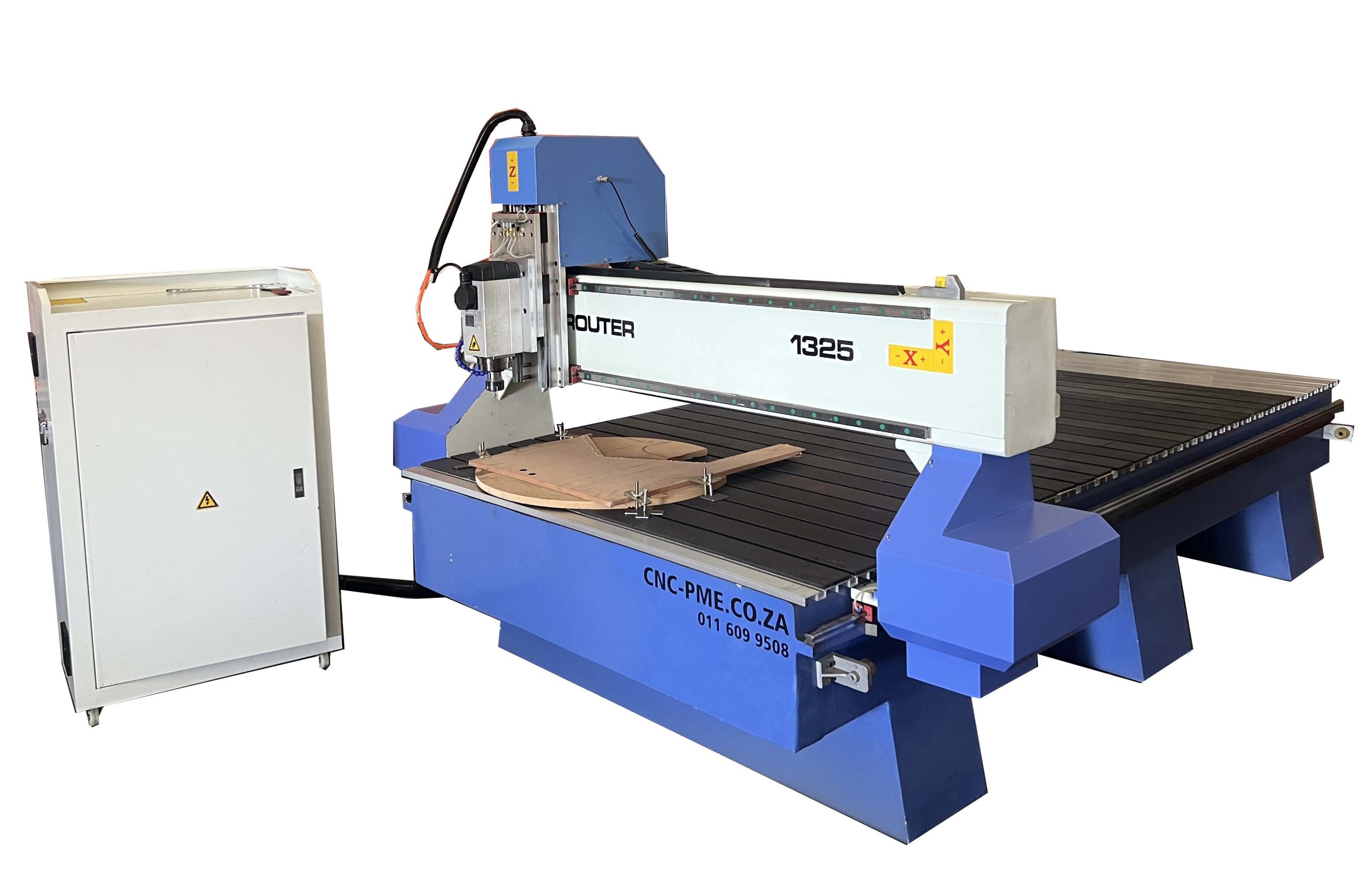
PS 1325 for Standard Signage and Sheet Work
The product page lists a 1300 × 2500 mm working area and applications that include acrylic, PVC, MDF, channel lettering and light-box moulding. Final suitability should be confirmed with the smallest required feature, normal material thickness, preferred workholding method and an approved edge sample.
Furniture, Cabinetry and Panel Production
Furniture and cabinetry place strong emphasis on repeated dimensions and reliable assembly. Cabinet sides, shelves, doors, rails, frames and decorative panels may require profiles, grooves, pockets and selected holes that must align after cutting.
A machine should not be judged only by whether it can cut one panel. The complete process includes sheet loading, program selection, tool changes, part identification, unloading, edge inspection and assembly checks.
Nesting and Material Yield
Nesting software arranges several components across one sheet. The aim is to improve material use while maintaining part orientation, spacing and a practical unloading sequence.
The most tightly packed nest is not always the most efficient production nest. Narrow waste strips may weaken during cutting, small parts can lose vacuum holding and closely packed components can be difficult to identify after the program finishes.
Grain direction and decorative face orientation must also be controlled. A high material-yield percentage has little value if visible panels are cut with inconsistent grain or if left- and right-hand components become mixed.
Cabinet sides may require grooves, construction holes and outside profiles. Some operations can be completed within one setup, but feature direction and tool access must be confirmed.
A standard vertical spindle cannot automatically replace every horizontal drilling operation. Hardware systems, connectors and joinery methods should be reviewed before accepting claims that every cabinet feature will be completed in one cycle.
Vacuum Holding for Full Sheets and Small Parts
Vacuum performance depends on table design, spoilboard condition, pump capability, zoning and the amount of leakage. A full sheet may hold well while small released components move near the end of the program.
Porous board products can allow air to pass through the material. Uncovered spoilboard areas also increase leakage. Effective zoning and sealing help direct suction to the area being used.
A demonstration should include the smallest routine cabinet component, not only the largest panel. If small parts move, the workflow may require tabs, onion-skin passes, a different cutting sequence or another holding method.
Two-Sided Components and Indexing
Parts with features on both faces may require flipping. An indexing method must return the component to a known position for the second operation.
Locating pins, fixed stops or machined reference holes can support this process. The selected method should be tested because a small positioning error may affect grooves, joints or hardware alignment.
The best verification is not a single isolated measurement. Machine two parts that must fit together and check the final assembly. This reveals whether locating, cutter compensation and flip accuracy are working as one process.
Solid Timber and Repeated Furniture Parts
Solid timber creates different challenges from uniform board products. Grain direction, moisture variation, knots and natural defects can change edge behaviour and cutting force.
Curved rails, chair parts and irregular blanks often need dedicated fixtures. A reliable fixture should locate the blank, resist cutting forces and keep clamps outside the toolpath.
The fixture must also support practical loading. A highly accurate fixture that takes too long to load may not suit repeated production. Stops, pins and replaceable locating surfaces can improve consistency while keeping setup time under control.
Part Identification and Unloading
Nested panels can look very similar after cutting. Labels, discreet engraved references or a controlled unloading sequence can reduce assembly errors.
Identification should remain away from visible faces. A removable label may suit a concealed surface, while a light engraved code may work on an internal edge.
Unloading order also matters. If operators must repeatedly search for matching components, the nest may save material but lose time during sorting and assembly.
First-Off Inspection and Final Finish
The first completed set should be inspected before a full batch runs. Critical dimensions, grooves, holes and mating parts should be checked together where practical.
Visible surfaces require a realistic finish target. MDF doors may reveal cutter marks after coating, while laminated panels can show chipping along the face.
Cutter condition, cutting direction, final passes and sanding allowance should form part of sample approval. A raw component should not be accepted without considering the final coating, edge treatment or assembly requirement.
Businesses planning regular panel production can review the more detailed
CNC router guide for furniture and cabinet production,
which covers nesting, holding, tool changing and production planning in greater depth.
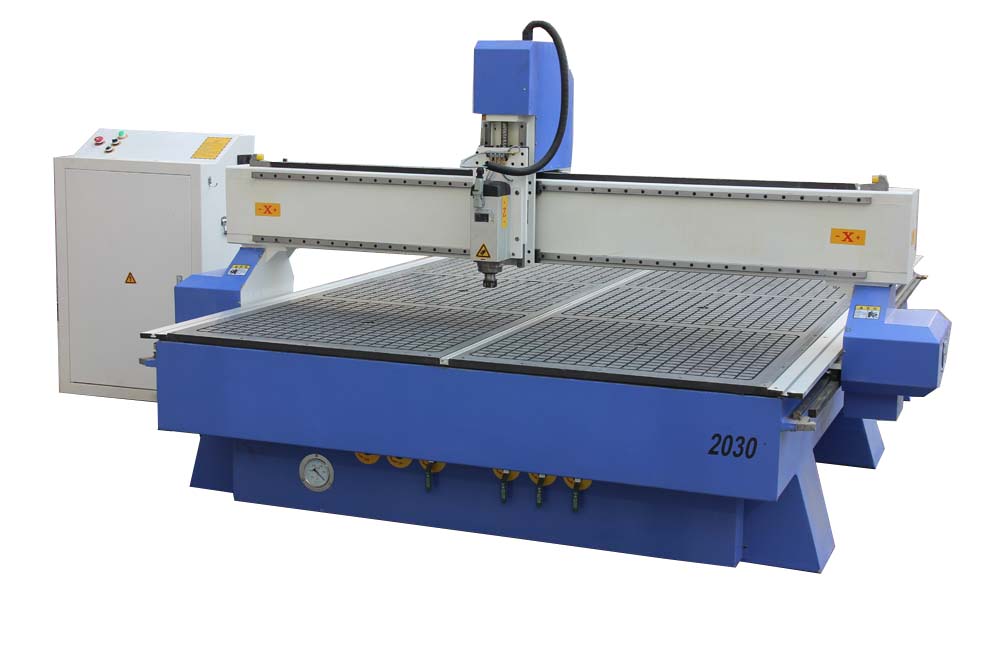
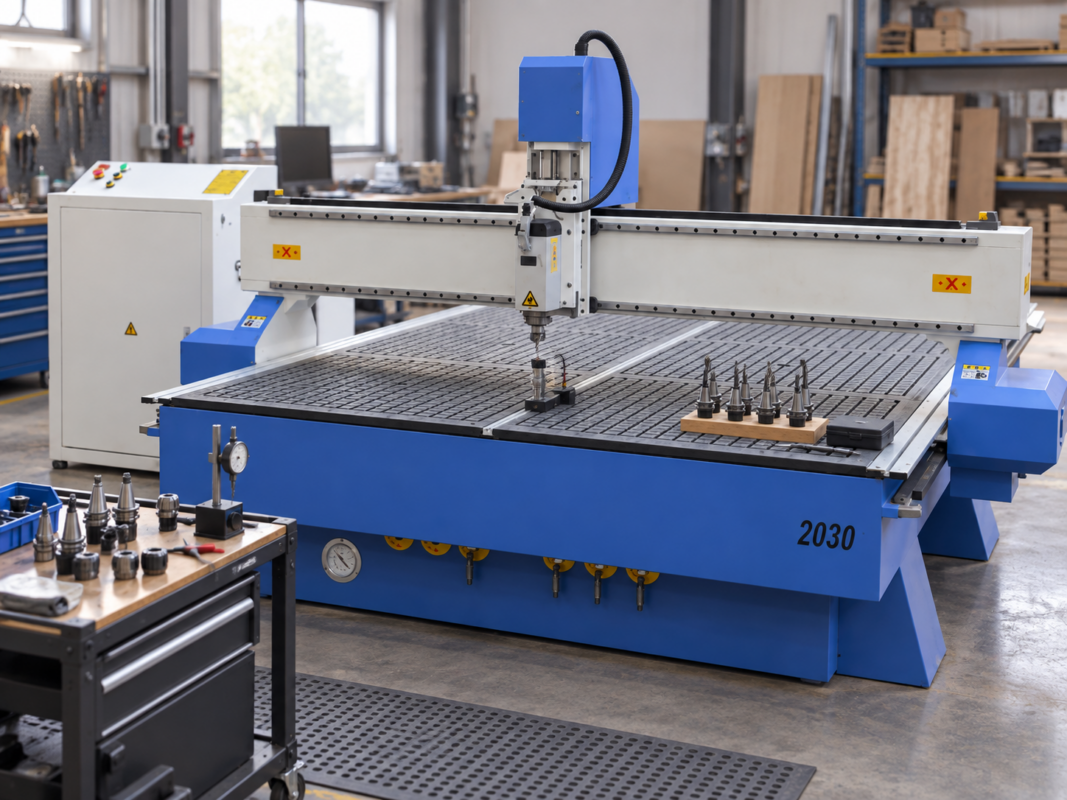
PS 2030 for Larger-Format Panel Work
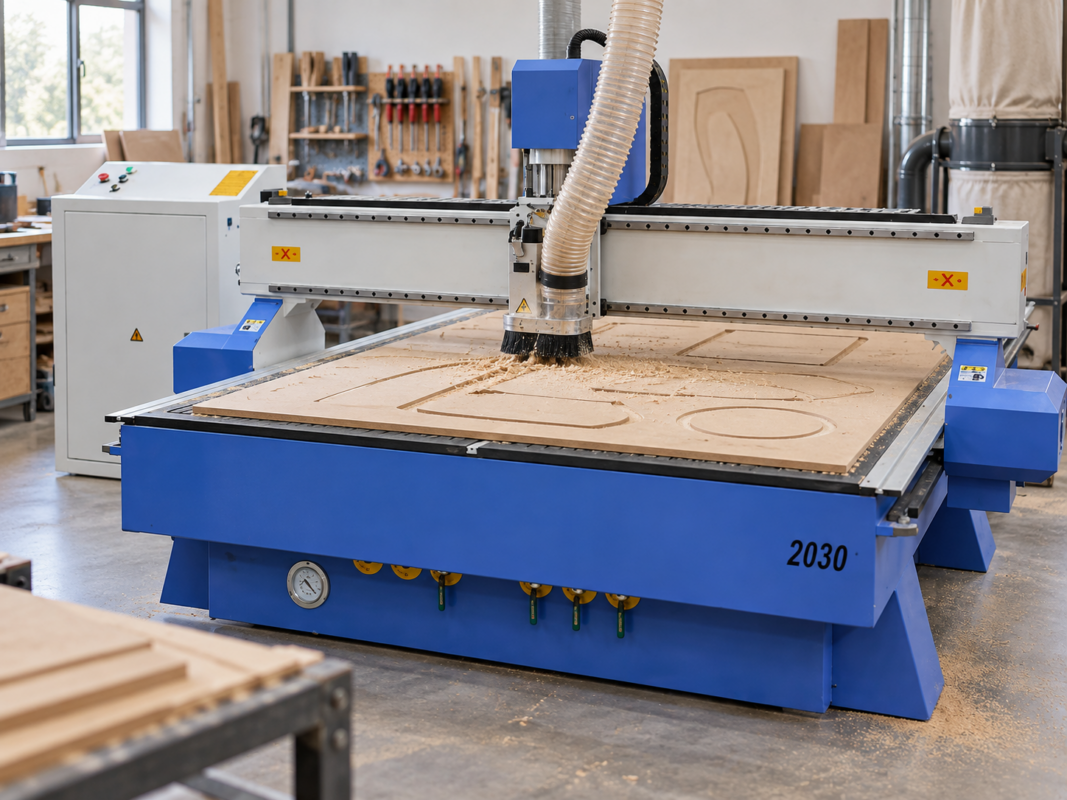
The product page lists a 2000 × 3000 mm working area and vacuum or clamp table options. This format can be evaluated where larger panels are routine, subject to holding performance, tool access, workshop space and finished-edge requirements.
Decorative Woodworking, Jigs and Mould Patterns
Decorative routing includes carved panels, furniture details, doors, screens, mouldings and relief artwork. These products often carry high visual value, but they can also require long machining and finishing cycles.
The finest programmed toolpath is not always the best commercial choice. Surface quality must be balanced against cutting time, sanding labour and the final coating or texture.
Roughing and Finishing Toolpaths
Three-dimensional work normally separates roughing from finishing. A larger cutter removes bulk material and leaves a controlled allowance. A smaller ball-nose tool then follows the final surface.
Smaller finishing passes can improve detail, but they increase cycle time. The chosen step-over should reflect the required finished surface rather than the finest possible setting.
A painted or textured panel may tolerate a different routed finish from a clear-coated hardwood relief. Total labour should include cutting, sanding, sealing and coating.
For repeat work, the test should include the full roughing and finishing sequence. Timing only a small detailed area can underestimate the production time for the complete panel.
Material Behaviour and Surface Detail
Fine-grained timber may retain narrow features better than coarse or unstable stock. Grain direction can influence tear-out along raised edges and deep relief details.
Plywood layers may become visible across a carved surface. This can be used intentionally as a design feature, but it may be unsuitable where a uniform natural-wood appearance is required.
MDF provides a uniform structure and can hold detailed shapes, but it produces fine dust and normally requires sealing before painting. The time and material used for sealing should be included in the job cost.
Deep features require longer tool reach and may increase vibration or cutting force. Narrow cavities can prevent larger tools from reaching the intended surface. Geometry should be reviewed with actual cutter diameter, flute length and safe tool extension in mind.
Jigs and Templates
Jigs and templates can improve repeatability in drilling, trimming and assembly. Their main value comes from accurate locating surfaces, controlled restraint and easy replacement.
A digital file allows a worn template to be reproduced without copying an old component by hand. Clear revision numbers are still essential because outdated fixtures can introduce errors into later production.
Material selection should match expected use. MDF may suit short-run templates, while plywood or suitable engineering plastics may provide better wear resistance for frequent handling.
Replaceable locating pads and bushes can extend fixture life. The fixture should also make incorrect loading difficult so operators cannot easily reverse or misalign the part.
Vacuum Fixtures
Vacuum fixtures represent another useful router application. Routed channels and seals can hold shaped parts without placing mechanical clamps around the outside edge.
Performance depends on leakage, contact area, material porosity and seal condition. The part must sit against stable reference surfaces before vacuum is applied.
A fixture that works with one smooth material may not hold a rough or porous blank in the same way. The test should use the actual production material and expected variation.
Mould Patterns
Mould patterns require additional planning. Draft, process allowance, surface preparation and tool access should follow the downstream forming or moulding method.
A routed pattern may need sealing, filling, sanding and coating before use. Raw machining time represents only one part of the total project.
Deep walls, narrow channels and undercuts may not suit a standard three-axis setup. The design may require adjustment, separate pieces, additional setups or another manufacturing process.
For split patterns, registration points and mating faces should be planned before machining. Seams should remain accessible for assembly and finishing.
Workflow, Tooling and CNC Router Selection
A reliable CNC routing workflow connects design software, CAM programming, the correct post-processor, machine control, tooling and workholding. Problems at any stage can create wasted material, incorrect dimensions or unsafe movement.
The strongest machine quotation starts with a clear application brief. It should describe the parts, materials and required results rather than simply requesting the largest available specification.
Software and File Preparation
Actual production files should be tested because fonts, layers, scale, units, open vectors and duplicate lines can create problems that simple demonstration shapes do not reveal.
CAM software converts the design into toolpaths. The programmer selects tools, cutting order, depths, entry methods, feeds and speeds.
A post-processor converts those toolpaths into code for a specific control system. Compatibility should be proven with the selected machine before routine production begins.
The workflow should also define where the work origin is located, how tools are measured, how files are transferred and how approved programs are separated from unfinished or obsolete revisions.
Choosing the Correct Cutter
Up-cut tools can improve chip removal but may lift fibres or damage the top surface of suitable sheet materials.
Down-cut tools may protect the visible top face, although they push chips downward and require enough space for waste to escape.
Compression cutters combine cutting directions and may help protect both faces in suitable laminated boards. Correct engagement depth is important because the tool must place the change in cutting direction within the material.
V-shaped cutters support lettering and decorative grooves. Ball-nose tools suit curved surfaces, while surfacing tools can level spoilboards and suitable large areas.
Tool holders and collets need regular inspection. Dirt, wear, incorrect tightening or excessive tool extension can increase runout and reduce edge quality.
The demonstration should use cutters suitable for the intended production, not only a general-purpose tool selected to make a simple sample look acceptable.
Workholding Options
Vacuum, clamps, screws, tabs, adhesive systems and dedicated fixtures all have valid roles. No single method suits every part.
Vacuum tables suit full sheets and repeatable flat materials. Performance depends on zoning, sealing, pump capability and leakage.
Clamps provide direct restraint but occupy space around the component. Toolpaths must maintain safe clearance, and repeated setups should record clamp positions.
Screws can secure timber through waste areas. Every screw must remain outside the cutter path and finished surface.
Tabs and onion-skin passes help hold small released parts. They add trimming or final-pass requirements that should be included in production time.
Dedicated fixtures can improve loading speed and repeatability for irregular or repeated components. Their cost is easier to justify when the same part returns regularly.
When Automatic Tool Changing Becomes Useful
Automatic tool changing becomes more relevant when repeated components need several cutters and manual changes create a meaningful delay in every cycle.
A simple outside profile that uses one cutter may not gain enough value from a larger tool magazine. A repeated panel that needs profiling, pockets, holes, engraving and finishing can benefit much more.
The comparison should include the real number of tool changes, operator availability, batch size and the risk of loading the wrong tool or entering the wrong tool length.
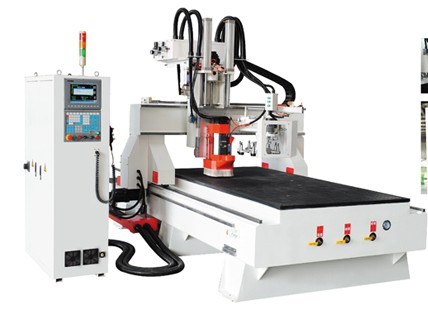
PS 1930 for Repeated Multi-Tool Workflows
The product page lists an eight-tool magazine, automatic tool-changing spindle and 2000 × 3000 mm working area. This configuration is relevant where several cutters are used repeatedly during one production cycle.
Dust Extraction and Workshop Requirements
Wood-based machining can produce chips and fine dust. Extraction should be planned around material type, cutting load and workshop layout.
The dust shoe must remain effective across expected cutting heights and tool lengths. Long tools, deep carving and raised fixtures may reduce collection performance if the extraction arrangement is not adjusted.
The UK Health and Safety Executive recommends local exhaust ventilation at woodworking machines so dust can be captured before it spreads. Its
wood dust guidance
provides useful general context, although local workplace requirements and site conditions still apply.
Electrical supply, compressed air where required, machine access, offloading space and material storage should be checked before delivery. A suitable machine can still create delays if the workshop cannot load sheets or remove finished parts safely.
Production Records and Repeatability
Production records should capture file revision, material, tool numbers, work origin, holding method, feeds, speeds and inspection points.
This information helps repeat successful work, supports operator training and makes troubleshooting more systematic. Without records, operators may repeatedly rediscover the same settings or reintroduce an old problem.
Tool-life observations are also useful. Edge quality can decline gradually before a cutter visibly fails. Recording the number of sheets, parts or cutting hours can help schedule replacement before rework increases.
When a Standard Three-Axis Router May Not Be Suitable
- Most parts require horizontal side drilling or inaccessible side features
- Deep undercuts are central to the product geometry
- The main requirement is very small, shallow, high-detail engraving
- Expected metal precision and cutting load exceed the intended router application
- The product cannot be held safely with vacuum, clamps, fixtures or another practical method
- Required tool reach creates unacceptable vibration or collision risk
Choosing a Configuration by Application
| Application | Priority Features | Quality Target | Useful Configuration Question | Avoid Paying Extra For |
|---|---|---|---|---|
| Signage | Profiles, pockets, engraving and small-part holding | Clean visible edges and accurate lettering | How will the smallest parts remain secure? | Unused table capacity or unnecessary tool positions |
| Cabinetry | Nesting, grooves, holes and identification | Repeatable assembly dimensions | Which operations can run in one setup? | Features that do not improve panel throughput |
| Furniture | Fixtures, curved profiles and indexed setups | Consistent mating parts | How are irregular blanks located and held? | Full-sheet features when most work uses blanks |
| Carving | Roughing, finishing and long-program control | Controlled detail and sanding time | What is the complete machining and finishing cycle? | Maximum detail that adds no customer value |
| Repeated Multi-Tool Work | Efficient tool changes and standardised setup | Stable output and low rework | How much time will automatic changing save per batch? | A tool magazine larger than the real process needs |
Information to Send Before Requesting a Quotation
- Three representative files: routine, difficult and future-growth work
- Material names, grades where relevant, normal thicknesses and maximum sheet dimensions
- Required profiling, pocketing, drilling, engraving and finishing operations
- Expected daily or weekly volume
- Acceptable edge condition, dimension and surface finish
- Available electrical supply, extraction and floor space
- Current software formats and post-processing requirements
- Operator experience and training requirements
- Delivery access, unloading and installation restrictions
What a Complete Quotation Should Clarify
| Quotation Item | What the Customer Should Confirm |
|---|---|
| Machine and working area | Usable cutting area, table type, spoilboard arrangement and material-loading clearance |
| Spindle and tool changing | Spindle configuration, collets, tool holders, magazine size and included measuring equipment |
| Workholding | Vacuum pump, zones, clamps, T-slot arrangement, fixtures and any excluded accessories |
| Software | Included software, licence terms, file formats and post-processor responsibility |
| Extraction and services | Dust-collection requirements, electrical supply, compressed air and installation conditions |
| Delivery and commissioning | Transport, offloading, positioning, installation, calibration and acceptance testing |
| Training and support | Training scope, number of operators, support process, maintenance and warranty terms |
| Application test | Approved file, actual material, required operations, expected quality and recorded result |
Questions to Ask During the Demonstration
- Was the test completed using the same material and thickness used in production?
- How was the work held during the final profile?
- How long did loading, setting, cutting, unloading and finishing take?
- Which cutters were used, and are they included in the quotation?
- Which operations require a second setup or another machine?
- How is the post-processor provided and tested?
- What routine cleaning and calibration will the operator perform?
- How are training, troubleshooting and replacement parts handled?
- Which site services must be ready before installation?
- What result will be used to approve the machine before production begins?
Book a Representative CNC Router Demonstration
A useful demonstration should include a real file, actual material, required operations, expected batch size and a written quality target. Cutting, unloading, inspection and finishing should be reviewed as one complete workflow.
Setup, calibration, maintenance and troubleshooting should be discussed before production begins. Available
CNC technical support and training
can form part of the implementation plan.
Frequently Asked Questions
Turn the Application into a Clear Machine Brief
CNC routing can support signage, cabinetry, furniture, decorative carving, templates and mould patterns. Reliable production comes from matching the complete workflow to the intended parts and materials.
The table, spindle, tooling, software and holding method must operate as one system. Material handling, extraction, inspection and finishing must also support the expected volume.
Prepare representative files, real materials and measurable quality targets before comparing the available
CNC router machines.
This makes it easier to compare configurations, identify missing items in a quotation and avoid paying for features that do not improve the intended workflow.
Discuss Your CNC Router Application
Provide your file, material type, part dimensions, required operations, expected production volume and finish target for a focused machine and demonstration discussion.
| Book a Router Demonstration | View CNC Router Machines |